

MIDZOOPARTS
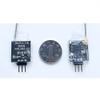
Radiolink R6DSM 2.4G 10 Channels Receiver DSSS FHSS Spread Spectrum for Transmitters AT9 AT9S AT10 AT10II
20 978 Ft
34 963 Ft
-
 Order within to get between
 -
 Tracked Shipping on All Orders
-
 14-Day Returns
- Secure Payments
-
 24/7 Customer Support
Description
- Radiolink R6DSM 2.4G 10 channels Receiver DSSS FHSS Spread Spectrum for Transmitters AT9 AT9S AT10 AT10II
Radiolink R6DSM 2.4G 10 channels Receiver DSSS FHSS Spread Spectrum for Transmitters AT9 AT9S AT10 AT10II
Radiolink R6DSM, 2.4G 10 channels receiver, DSSS and FHSS spread spectrum working synchronously, 1 gram weight, SBUS and PPM signal support, use for Radiolink transmitters AT9, AT9S,AT10 and AT10II, is the best choice for racing drone. Two signal working mode: Blue/purple LED, SBUS signal , 10 channels totally. Red LED always, PPM signal, 10 channels totally. SBUS and PPM signal change: Short press the ID SET switch two times within 1 second, the signal is changed from SBUS to PPM. The red LED indicates the PPM and blue/purple indicates SBUS. How to match code with transmitter: 1. Place the transmitter and the receiver close to each other within 1 meters. 2. Turn on the transmitter, then power on the R6DSM. 3. Connect CH3 of R6DSM to ESC. 4. There is a black button on the R6DSM, press the binding button twice in two seconds and release, receiver light start blinking, after about 8 times blinking, match code success when receiver signal LED always on! Installment of receiver antenna: 1. The antenna must be kept as straight as possible. Otherwise it will reduce the effective range. 2. Large model aircraft may of some metal part interfering signal; in this case the antennas should be placed at both sides of the model. Then the best RF signal condition is obtained at any flying attitude. 3. The antennas must be kept away from conductive materials, such as metal and carbon by at least a half inch. The coaxial part of the antennas does not need to follow these guidelines, but do not bend it in a small radius. 4. Keep the antennas away from the motor, ESC, and other noise sources as much as possible. 5. Press and hold the Easy Link (ID SET) one second, now the receiver starts work. 6. After all of the above steps finished, the LED indicator will turn and keep in red. 7. The receiver can be packed by sponge or foam for shocking proof when it is installe
Shipping and Returns
- We offer tracked shipping on all orders. Tracking information will be shared as soon as the order is dispatched.
- Please check the delivery estimate before adding a product to the cart. This is displayed for every product on the website.
- Available shipping methods and charges will be displayed at the time of checkout, depending on your exact location.
- All customers are entitled to a return window of 14 days, starting from the date of delivery of the product(s).
- Customers are advised to read our return policy for details of the return process, eligibility, refunds as well as cancellations or exchanges.
- In case of any issues or concerns about Shipping or Returns, please contact us and we will be happy to help.
Midzooparts.
Radiolink R6DSM 2.4G 10 Channels Receiver DSSS FHSS Sprea...
20 978 Ft
34 963 Ft